
You juggle multiple profiles, posts, and products and need a single place to send people. A one URL bio link (your bio URL) acts as a compact hub that collects your socials, links, videos, and shop into a single page, so you stop losing clicks and make every profile count. Use one bio link to give your audience instant access to everything you offer and to turn casual visitors into engaged followers or customers.
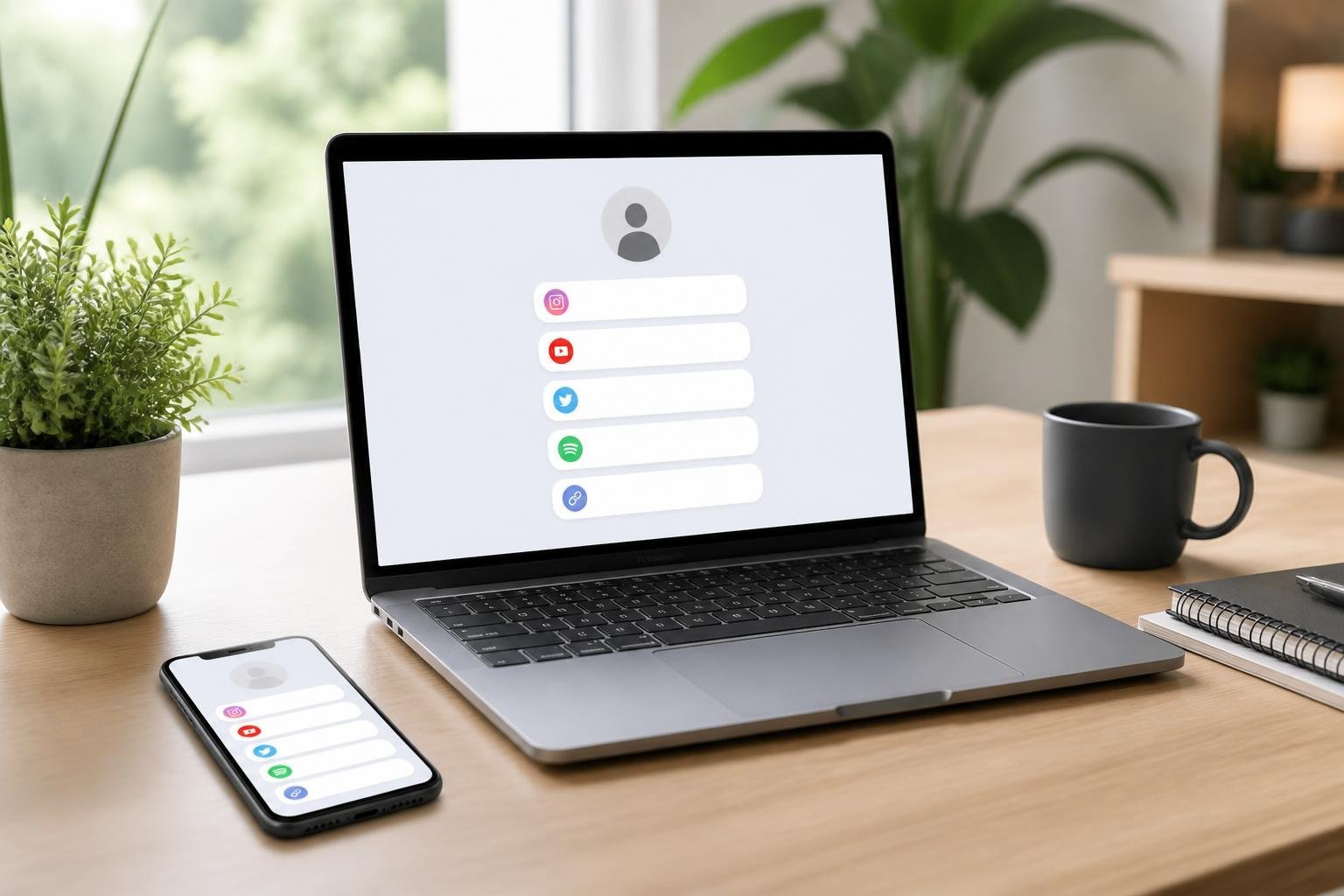
You can customize the page to match your brand, add unlimited links, and track which items perform best—so you control how traffic flows and where it lands. Pick a tool that supports analytics, e-commerce widgets, and easy integrations to scale your presence without fragmenting your audience.
Key Takeaways
- A single bio URL centralizes your important links and content.
- Choose tools with customization and analytics to optimize engagement.
- Look for e-commerce and integration options to convert traffic into sales.
How One URL Bio Links Work

One URL bio links turn your single social profile link into a compact hub that directs followers to all your important destinations. They replace manual link swapping and let you track clicks, prioritize links, and present a branded landing page from one shared URL.
Consolidating Multiple Links in One Place
You create a bio page and add every relevant destination: your shop, latest article, podcast episode, booking calendar, and other social profiles. Each entry appears as a clear button or link on that page, so visitors can scan and tap exactly what they need without you changing the URL every time you publish.
Most tools use a drag-and-drop editor so you can reorder links by priority. Add descriptions, icons, or thumbnails to increase clarity and clicks. You can also toggle visibility or schedule a link to appear only during a campaign.
Analytics usually report views and clicks per link. Use those metrics to remove low-performing links, promote high-converting pages, or A/B test button text and placement.
Understanding Unique Bio Pages
A unique bio page is a small, hosted landing page tied to your single bio URL. It can use your username (example: linktr.ee/yourname) or a custom domain. That page acts like a mini homepage focused on conversion and navigation.
Design options let you match the bio page to your brand—colors, fonts, background images, and a short profile blurb. Some platforms add features like contact forms, PayPal/Stripe buttons, or digital product delivery to keep users on the same page while completing transactions.
Control over metadata and preview cards affects how that single URL looks when shared. Proper setup ensures your link displays a descriptive title and image when pasted into chats or other profiles.
Single Link Distribution Across Platforms
You paste the single URL into the Website field on Instagram, TikTok, LinkedIn, Twitter/X, or any platform that limits bio links. That one link becomes the gateway to all your content, so you stop swapping profile URLs after each new release.
For platforms with link stickers or story links, you can use the same URL to drive traffic from ephemeral posts. On platforms that allow multiple links (YouTube, Pinterest), you still gain value by using one bio link to centralize tracking and messaging.
Keep the URL consistent across platforms and offline materials (QR codes, business cards). That consistency improves recognition and allows aggregated analytics to show total traffic from each source.
Essential Features of Modern Bio Link Tools

Modern bio link tools should let you add many links, organize multiple pages, and match your visual identity without technical work. Focus on tools that scale with your needs, make editing fast, and provide consistent branding options.
Unlimited Links and Projects
You need the ability to add unlimited links so every piece of content, product, or campaign has its own entry. Look for platforms that explicitly remove caps on link count and let you create separate projects or pages for different channels (e.g., one project for Instagram, another for TikTok).
Projects should act like independent microsites: unique URLs, independent link lists, and separate analytics. That keeps performance data clean and lets you tailor link order and CTAs per audience.
Prioritize features that support bulk management: drag-and-drop ordering, link grouping, scheduled activation, and CSV import/export. Those save time when you manage dozens or hundreds of links. Also confirm whether linked media (images, videos, downloads) count toward any limits.
User-Friendly Interface and Customization
A user-friendly interface reduces setup time and prevents mistakes when you update links on the fly. Choose a builder with a visual editor, live preview, and clear mobile/desktop toggles so you see exactly how your bio page displays.
Templates speed up design—pick tools that offer responsive link in bio templates you can customize rather than building from scratch.
Customization should include per-link icons, fonts, spacing controls, and optional sections (about, newsletter signup, shop). Look for keyboard shortcuts, undo/redo, and autosave to streamline edits. Integration options (analytics, e-commerce, email capture) must be accessible via simple toggles or guided setup flows.
Branding and Custom Colors
Brand consistency matters: your bio page must mirror your primary channels. Tools should let you set custom colors, brand fonts, and upload logos or favicons. Apply global styles so changes propagate across all projects instantly.
Custom domain support is crucial if you want your bio URL to match your brand. Confirm whether domains are included or require an add-on.
Also check for advanced styling controls—gradient backgrounds, link button shapes, and CSS overrides—if you need fine-grained control. Templates that preserve your brand palette and let you save brand presets will speed replication across multiple projects.
Advanced Customization and Integrations
You can make your single bio URL reflect your brand, track conversions, and connect to other tools. Focus on domain control, visual templates, and tracking pixels/QR codes to maximize clicks and conversions.
Custom Domains and Personal URLs
Use a custom domain or personal URL to build trust and improve click-through rates. Pointing a domain you own (example: links.yourbrand.com) to the bio service gives you full control over branding and eliminates third-party hostnames that can reduce conversions.
Set up typically involves adding a CNAME or A record in your DNS and configuring the domain in the link-builder dashboard. Many services support multiple domains and let you assign different domains per campaign or team workspace.
Personal URLs work well for creators and teams. Choose a short, memorable slug (yourname.link or yourbrand.bio) and reserve vanity paths for key campaigns. Enforce HTTPS by enabling SSL in the provider settings to protect visitors and maintain search/OS trust signals.
Templates and Video Wallpapers
Templates let you build consistent, on-brand bio pages without design work. Pick from layout presets that control link order, button styles, and spacing so you can test which layouts produce the best engagement for your audience.
Video wallpapers increase visual impact on mobile and desktop. Use short, looped MP4s optimized for mobile (under 3–5 seconds, low bitrate) to avoid slowing page load. Provide a fallback image and mute the video by default to comply with mobile autoplay rules.
Customize typography, color palettes, and button CTAs per template to match campaign goals. Save template variants to compare performance and roll back quickly when a change reduces conversion rates.
QR Code and Pixels Integration
Add QR codes to print, packaging, or on-screen assets to funnel offline users to the same bio URL. Generate static or dynamic QR codes; dynamic codes let you change the destination later without reprinting assets. Test scanned redirects on iOS and Android to ensure deep links open apps where appropriate.
Install tracking pixels (Facebook/Meta, Google Tag Manager, or custom pixels) on the bio page to capture conversions and audience data. Place event triggers on link clicks, form submissions, and video plays to feed ad platforms and analytics.
Combine QR codes with UTM parameters and pixel events to attribute offline traffic to specific campaigns. Use webhook and Zapier integrations to forward events to CRMs or email platforms in real time for immediate follow-up.
Analytics and Engagement Tracking
Track clicks, destination referrals, and time-based trends so you can see which links and calls-to-action actually move people. Use those insights to prioritize buttons, reorder content, or test messaging that drives conversions and repeat visits.
Built-in Analytics for Link Performance
Your link-in-bio tool should show per-link clicks, unique visitors, and click-through rate (CTR) so you can compare buttons at a glance. Look for time-series charts that let you spot daily and weekly spikes, and a breakdown by referral source (Instagram, TikTok, X, etc.) to see which platform sends the most traffic.
Exportable CSVs or PDF reports matter when you need to share results with stakeholders or combine data in spreadsheets. Also check whether the tool keeps historical data beyond 30 days; retention of 6–12 months lets you analyze seasonality and campaign lift. Basic UTM support is essential—tag each destination so your link analytics and Google Analytics align.
Boosting Engagement and Traffic
You increase engagement by testing which link text, image, or order yields the highest CTR and dwell time. Run simple A/B tests: swap one button label, track two weeks, then compare clicks and conversions. Prioritize links that show both high CTR and downstream actions (signups, purchases).
Use visual cues—prominent buttons, emojis, or limited-time labels—to lift visibility and urgency. Add one clear primary CTA at the top and secondary CTAs lower down; most visitors click the top-most relevant link. Monitor referral breakdowns to tailor landing pages: if TikTok sends mobile-heavy traffic, send those visitors to fast-loading, mobile-first pages to reduce bounce and increase conversions.
Advanced Analytics and Pixels
Install pixels and advanced tracking to connect link clicks to user behavior on your site. A Facebook/Meta pixel or Google Analytics 4 tag lets you record page views, purchases, and custom events that standard link metrics miss. Use pixel-conversion data to build retargeting audiences from people who clicked specific bio links.
Advanced analytics features to look for: session replay hooks, event-driven funnels, and cohort analysis so you can see lifetime value by traffic source. Ensure the link tool supports passing query parameters or server-side event forwarding to avoid losing attribution. When you combine built-in analytics with pixel-based conversion data, you get a fuller picture of which bio links truly drive traffic and revenue.
E-Commerce and Engagement Tools
You can turn a single bio URL into a commerce and engagement hub that accepts payments, schedules appointments, captures leads, and connects to social platforms. Focus on tools that let you sell, book, and communicate without sending visitors off-site.
Online Stores and Booking Calendars
Embed a lightweight online store or product links directly on your bio page so visitors can buy without extra clicks. Use platforms that support product thumbnails, price display, and a secure checkout flow; Shopify-connected tools (like Linkpop) or built-in payment widgets (Beacons, Hopp) handle transactions and inventory syncing for you.
If you need appointments, add a booking calendar that shows real-time availability and lets users pick slots and pay at booking. Choose booking widgets that integrate with Google Calendar or Calendly so bookings update automatically. Prioritize mobile-first checkout and calendar views because most traffic comes from phones.
Contact Forms and Lead Generation
Place short contact forms and pre-filled message buttons on your bio page to convert casual visitors into leads. Ask only for essentials—name, email, purpose—then route submissions to email, Zapier, or your CRM to avoid friction. Payment-capable form blocks let you collect deposits or fees inside the same flow.
Use multi-step forms for complex onboarding or conditional fields to qualify leads before you invest time. Include a visible privacy note and clear CTA to raise trust and completion rates. Track form conversions with built-in analytics or UTM-tagged links to measure ROI.
Integration With Platforms and APIs
Connect your bio link to Instagram, TikTok, and backend services so content and commerce stay synchronized. Use Instagram-linked tools (Linkin.bio-style) to map posts to product pages and the Instagram API for authenticated post-to-link mapping. For TikTok, pick platforms that support TikTok sync for video embeds and profile-driven CTA updates.
Leverage APIs and middleware (Zapier, Make) to push sales, bookings, and leads into inventory systems, email marketing, or analytics. Verify that the tool supports webhooks and custom domain settings so conversions appear under your brand. Test end-to-end flows—post → bio click → cart/booking → confirmation—to confirm integrations work reliably.
Plans, Pricing, and Platform Choices
Different link-in-bio platforms split features across free and paid tiers, and choices hinge on whether you need custom domains, no-ads pages, or built-in URL shorteners. Know what you must have—custom branding, commerce links, or analytics—before picking a plan.
Free, Mini, and Unique Plans
Many platforms offer a free plan that provides a basic landing page, a limited number of links, and simple analytics. Use a free tier to test layout and link behavior without committing money, but expect platform branding and limited customization.
A mini plan or entry-level paid tier typically removes most branding, adds custom colors and fonts, and expands link capacity. These plans often cost a few dollars per month and fit creators who want a cleaner public page and light analytics.
A unique plan (sometimes called Pro, Premium, or Creator) includes custom domains, advanced analytics, commerce integrations, and priority support. Choose this if you sell products, need UTM tracking, or require scheduling and gated content. Evaluate monthly vs annual pricing to reduce costs.
No Ads and URL Shorteners
If you want an uncluttered visitor experience, pick plans that explicitly promise no ads on your landing page. Many free plans show the provider’s logo or promotional banners; paid tiers commonly remove those.
Built-in URL shorteners let you create branded, trackable links for posts and bios. Check whether the shortener supports your custom domain and whether it offers click analytics and UTM parameters. Shortened links help for platforms with character limits and make “share everywhere” calls to action neater.
Confirm link expiry, redirect types (301 vs 302), and QR code generation if you plan to use links in print or presentations. These details matter more than cosmetic features when you scale sharing.
Platform Comparisons and Use Cases
Compare providers by feature matrix: custom domain, commerce links, email capture, analytics depth, and transaction fees. For example, lightweight creators often start with a free or mini plan from services like lnk.bio or similar tools that focus on simplicity and low cost.
If you sell digital products or take payments, choose platforms that integrate with Stripe/PayPal and impose low or transparent commissions. For marketers who need conversion data, favor platforms with exportable analytics and pixel support.
Pick a platform based on primary use:
- Personal branding: mini plan with custom domain and no ads.
- E-commerce/creator sales: unique/Pro plan with commerce links and low fees.
- Experimental or multi-account use: free tier across several providers, then consolidate when you know which features matter.
Use a short checklist: required integrations, acceptable monthly spend, domain support, and whether you need URL shortening. That will steer you to the right pricing tier and platform.
Frequently Asked Questions
These answers show practical steps, recommended tools, design options, analytics methods, video-link setups, and troubleshooting steps you can use right away. Each item focuses on actions you can take within common bio-link builders and social platforms.
How do I set up a single bio link for my Instagram profile?
Create an account with a bio-link service and build a landing page that lists your important links. Copy the single URL the service provides.
Open your Instagram profile, tap “Edit profile,” paste the copied URL into the Website field, and save. Test the link from a mobile browser to confirm it loads as expected.
Which free bio link tools offer the best features and reliability?
Look for tools that advertise unlimited links, templates, and basic analytics at no cost. Prioritize services with a long track record, active support channels, and export options for data.
Test reliability by checking uptime reports or community reviews, and verify that the provider allows easy URL edits and account recovery.
How can I customize the design to match an aesthetic brand style?
Use a template or theme within the bio-link builder and adjust brand colors, fonts, and button shapes. Upload your logo and a profile image to keep the page visually consistent with your other channels.
Create link labels that match your tone and group links (e.g., “Shop,” “Latest Video,” “Contact”) so visitors scan quickly. Apply spacing and divider options sparingly to keep the page clean.
What is the best way to track clicks and conversions from a bio page?
Enable the platform’s built-in click analytics to see link clicks and page views. Add UTM parameters to destination URLs so your Google Analytics or other trackers capture traffic source and campaign data.
Consider connecting the bio page to a third-party analytics pixel (if the builder supports it) and export click data regularly for deeper analysis.
How do I add multiple video destinations so viewers can find the full content?
Create individual link buttons that point to each video destination: YouTube watch URLs, Vimeo pages, or specific post links. Label each button clearly (for example, “Full YouTube Episode” or “TikTok Clip — Full”) to set expectations.
If the builder supports galleries or embedded players, add thumbnail images or embed codes so visitors can preview videos without leaving the page.
What are common reasons a bio page link stops working, and how can I fix them?
Broken links often result from typos in the URL, expired external pages, or the destination page being removed. Open each destination in a browser to confirm the target loads and correct any incorrect URLs.
Account suspension at the bio-link provider, DNS issues, or platform policy blocks can also break access. Check your bio-link account status, verify domain settings if you use a custom domain, and contact the provider’s support or submit a ticket if the issue persists.